
Implementing TCP Echo Server in Rust
Implement a multi-threaded TCP echo server in Rust from scratch using standard library

In this blog post, we will build a simple multi-threaded TCP echo server in Rust.
What is a TCP Echo Server?
A TCP echo server is a server that waits for clients to connect, read messages sent by the client and then sends the same message back to the client. Hence, we call it the echo server.
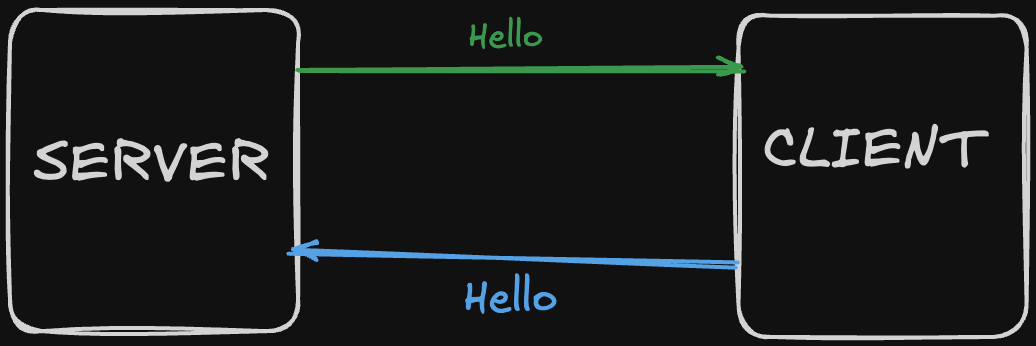
So, if a client sends “hello”, the server sends ack “hello”
Project Setup
Let’s first setup the project using the cargo command:
cargo new tcp_echo_server
cd tcp_echo_server
Source Code
Let me give you the entire source code here and then we will go line by line and understand everything:
use std::{io::{BufRead, BufReader, Write}, net::TcpListener};
use std::thread;


fn main() {
    let listener = TcpListener::bind("127.0.0.1:7878").unwrap();
    println!("Server listening on 127.0.0.1:7878");


    for stream in listener.incoming() {
        let stream = stream.unwrap();

        thread::spawn(move || {
            println!("New client connected!");

            let mut buf_reader = BufReader::new(stream);

            loop {
                let mut line = String::new();
                match buf_reader.read_line(&mut line) {
                    Ok(0) => break,
                    Ok(_) => {
                        println!("Received: {}", line.trim());
                        buf_reader.get_mut().write_all(line.as_bytes()).unwrap();
                    }
                    Err(e) => println!("Error reading: {}", e),
                }
            }

            println!("Client disconnected!");
        });
    }
}
Now, let’s understand what it’s doing line by line.
Breaking Down the Code
Imports
use std::{io::{BufRead, BufReader, Write}, net::TcpListener};
use std::thread;
First, we are importing some things from Rust’s standard library:
TcpListener- this is used to create a server that listens for connectionsBufReader- it helps us to read data line by line efficientlyBufRead- this trait gives us the `read_line` functionWrite- this trait allows us to send data back to the clientthread- this allows us to handle multiple clients at the same time
Starting the Server
let listener = TcpListener::bind(”127.0.0.1:7878”).unwrap();
println!(”Server listening on 127.0.0.1:7878”);
After importing, we need to create a server and bind it to a specific port number so that clients can connect to that port and communicate with the server.
Here, we created a server that listens on localhost (127.0.0.1) on port 7878. After binding the address to the server, we’re using `unwrap()`, which means if something goes wrong (like the port already being in use), the program will crash.
I’m using
unwrap()to keep this tutorial simple, but in real applications you should handle errors properly using pattern matching or the?operator.
Accepting Incoming Connections
for stream in listener.incoming() {
    let stream = stream.unwrap();
The listener.incoming() method returns an iterator that yields new client connections as they arrive. Each connection is represented by a TcpStream, which is like a two-way communication channel between the server and a specific client.
The for loop continuously waits for new clients to connect. When a client connects, we get a Result<TcpStream>, which we unwrap to get the actual stream.
Creating a New Thread for Each Client
thread::spawn(move || {This creates a new thread to handle the client connection. The move keyword transfers ownership of the `stream` into the new thread.
Why do we need threads? If we didn’t create a new thread, only one client could talk to the server at a time. The server would be busy handling the first client and couldn’t accept new connections. With threads, many clients can connect and communicate simultaneously, each in their own thread.
Wrapping the Stream in BufReader
let mut buf_reader = BufReader::new(stream);BufReader makes reading from the stream more efficient by buffering the data. It also gives us methods like read_line(), which reads input until it encounters a newline character (\n). Without BufReader, we’d have to manually handle reading byte by byte and figuring out where lines end.
Reading Messages in a Loop
loop {
    let mut line = String::new();
We create an infinite loop to continuously read messages from the client. The String::new() creates an empty string to store each incoming message.
match buf_reader.read_line(&mut line) {
    Ok(0) => break,
    Ok(_) => {
        println!(”Received: {}”, line.trim());
        buf_reader.get_mut().write_all(line.as_bytes()).unwrap();
    }
    Err(e) => println!(”Error reading: {}”, e),
}
The read_line() method returns a Result that we match on:
Ok(0)- The client has closed the connection (no more bytes to read), so webreakout of the loopOk(_)- We successfully read some bytes. We print what we received, then echo it back to the clientbuf_reader.get_mut()gets mutable access to the underlying streamwrite_all(line.as_bytes())writes the entire message back to the clientWe convert the
Stringto bytes because TCP works with raw bytes
Err(e)- Something went wrong while reading (like a network error), so we print the error and continue
After the client disconnects and we break out of the loop:
println!(”Client disconnected!”);We print a message indicating the client has disconnected, and the thread ends.
Running the Server
Open the terminal in the root directory of the project and run:
cargo runThis will start your TCP echo server. You should see:
Server listening on 127.0.0.1:7878Now open another terminal and run:
nc 127.0.0.1 7878nc (netcat) is a networking utility that acts as a simple TCP client.
Try typing some text and then hit Enter. You’ll see the same text echoed back. You can also check the server terminal to see the “New client connected!” message and what’s being received.
Since this is a multi-threaded implementation, you can open multiple terminals and create several clients that all talk to the server simultaneously.
Ideas for Improvement
This is a basic implementation, but there are many ways to enhance it:
Client IDs - Assign each client a unique ID to track which client is sending what
Better error handling - Use proper error propagation instead of
unwrap()Connection limits - Limit the maximum number of concurrent clients
Graceful shutdown - Handle CTRL+C to cleanly close all connections
Logging - Use a proper logging framework instead of
println!Thread pool - Use a thread pool instead of spawning unlimited threads
You can take these as a challenge and improve the server on your own
Conclusion
We’ve built a working multi-threaded TCP echo server in Rust.
I’ll see you in the next one. Till then, happy coding!